Enable MI in CMMS 8
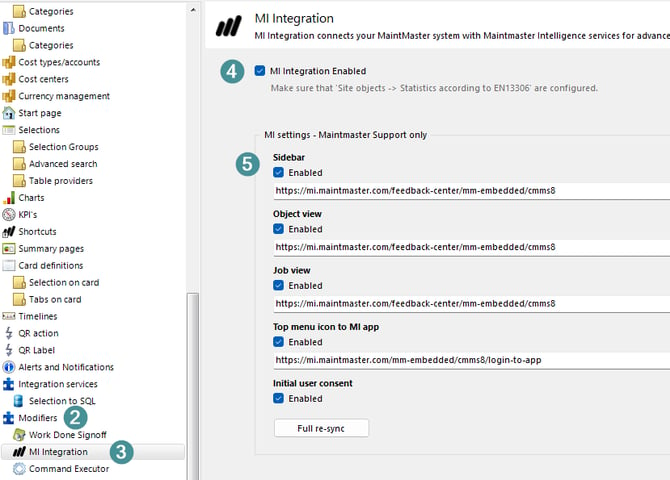
1. Update CMMS 8 to version 8.20.26286.1 or 8.21.26287.2 . MI is only available after the required CMMS 8 update.2. Open system setting
3. Go to the modifiers.
4. Select "MI integration".
5. Configure where MI is available using the checkboxes for the sidebar, Site Object viewer, job view, and top menu.
Provide consent to use MI
1. The MI chat window and welcome screen appear on the left.
2. Click on "Use MI Starter edition"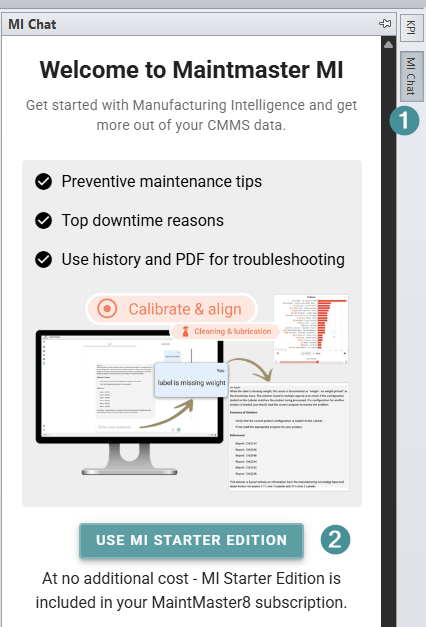
3. Choose a main site object. The connection may take some time, depending on the amount of information associated with the selected site object.
Use MI
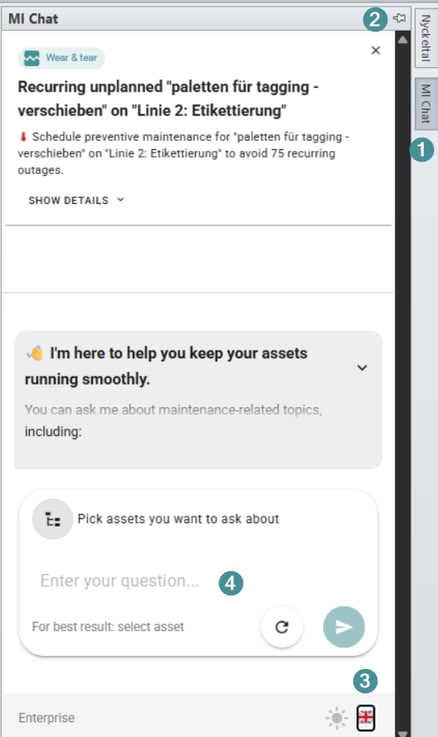
1. Open the MI chat panel on the right side of the screen.
2. Hide, dock, or pin the chat panel as needed.
3. Change language
4. Chat
Review MI tips
1. Review the tips displayed at the top of MI. MI periodically analyzes asset data and identifies patterns that may require attention.
2. Click "Show Details" to see why a tip was generated.
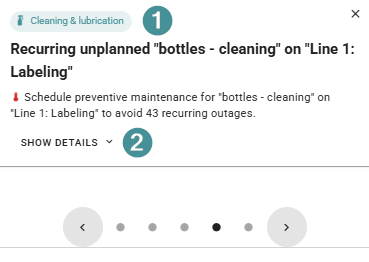
3. Mark an issue as implemented when you have taken action. The tip is hidden for 30 days and can return if the underlying issue remains.
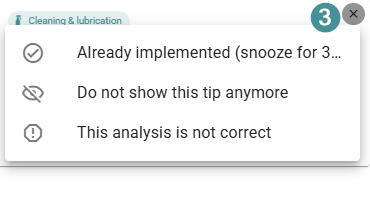
4. Select the option to stop showing a tip to hide it permanently.
5. Flag the analysis as incorrect if the recommendation is inaccurate. The tip is hidden and the MI team is notified so the analysis can be reviewed.
Use MI Insights for an object
1. Open an object in "Site Explorer".
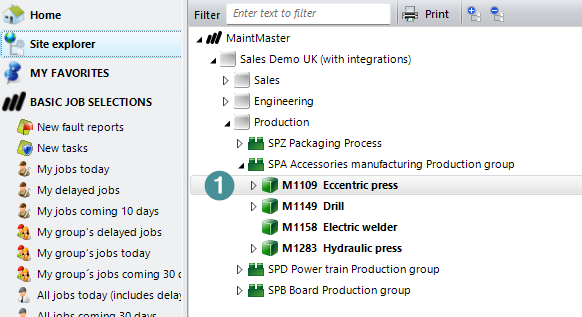
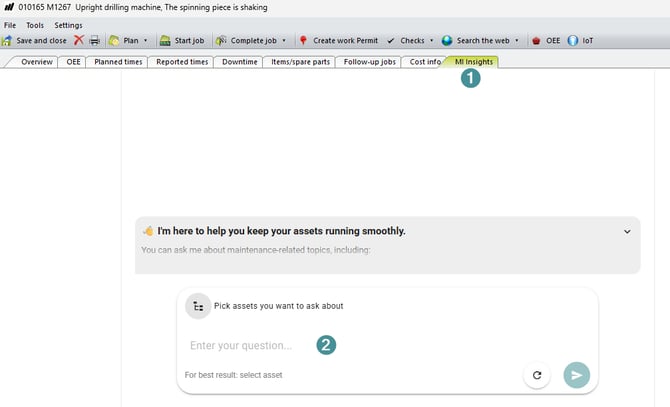
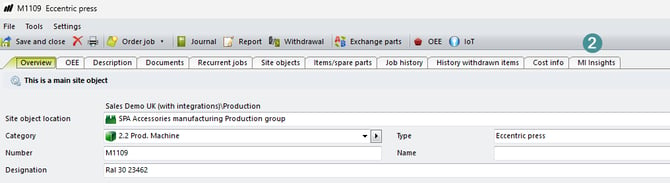
2. Select the "MI Insights" tab and ask a question. MI Insights generates recommendations based on the selected asset.
Use MI Insights for a job
1. Open a job
2. Select "MI Insights". MI automatically uses the job's asset and description as context.
Ask MI for guidance, such as how to resolve the reported issue or what preventive maintenance may help.