
MTBF Light version
1. Create a selection that contains all jobs that should affect MTBF, e.g. corrective maintenance last 30 days.
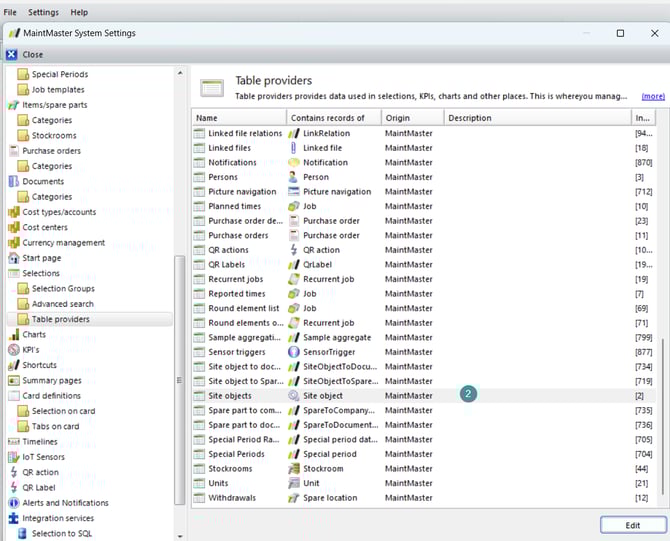
2. Create a selection join by opening Settings → System Settings → Selections → Table providers then open the table "Site objects".
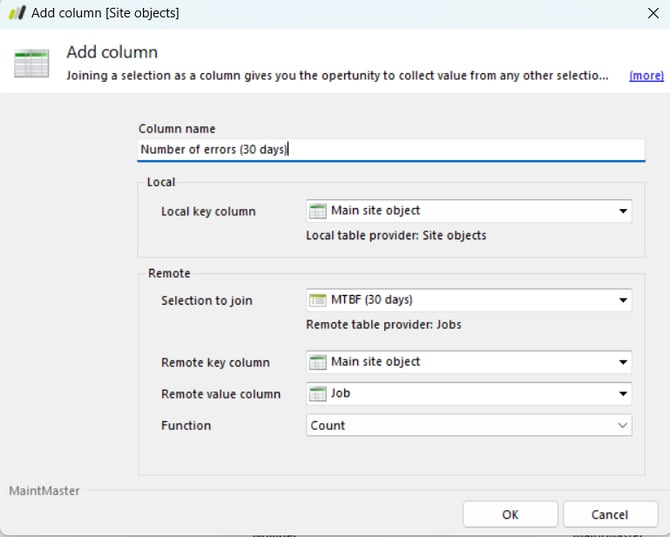
3. Select "Add" → "Selection join" and complete the required fields.
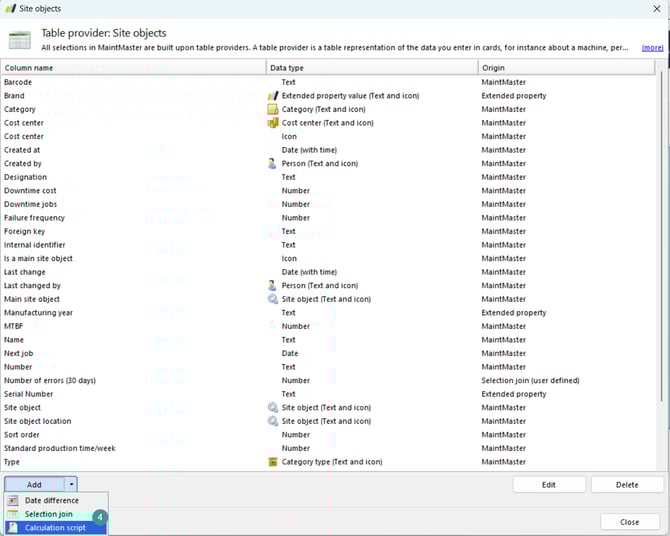
4. Still in the Site objects table, select "Add" → "Calculation script".
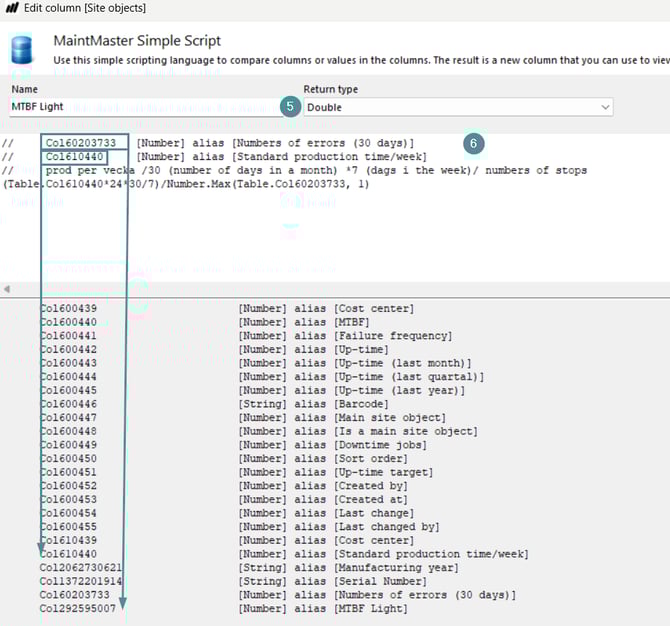
5. Name the column and set "Return type" to "Double"
6. Add this explanation text and the script:
// Col1311458967 [Number] alias [Numbers of errors (30 days)] (Table.Col610440*24*30/7)/Number.Max(Table.Col1311458967, 1) |
Note: The Number of errors (30 days) column ID will differ based on the selection join. Locate the correct ID in the list.
If you prefer to measure over a longer period, adjust the day condition in the selection.
7. Click "OK" to save.
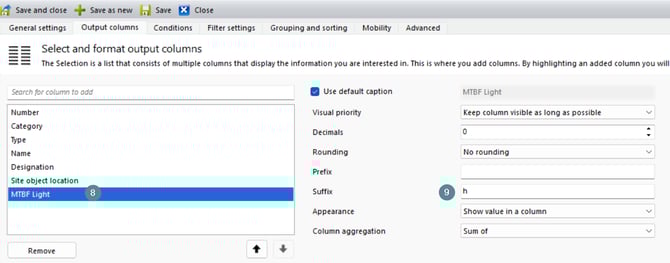
8. Add the new column to a Site objects selection.
9. Update the "Suffix" field so it clearly indicates that the value represents hours.
Enhanced insights with Maintmaster MI
Maintmaster offers an advanced AI-based feature called Manufacturing Intelligence (MI) that goes beyond the standard MTBF calculation.
MI automatically analyzes unstructured data such as operator notes, shift comments, and work orders to identify recurring issues, root causes, and improvement opportunities.
By combining MTBF data with AI-driven insights, MI provides a more complete picture of equipment performance — helping teams detect patterns earlier, reduce downtime, and improve reliability more effectively than standard MTBF tracking alone.
Need Extra Help?
If you prefer assistance with setup or customization, you can purchase coach hours.
Our experts will help you configure MTBF.