
Problem Description
The issue is that when attempting to add a spare part to a purchase order, the spare part is not available or cannot be selected.
Cause
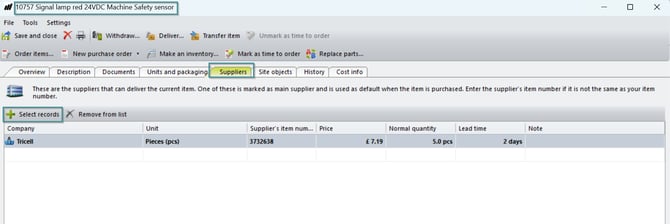
This occurs because the spare part is not linked to a supplier. Only spare parts connected to a supplier can be added to purchase orders.
Solution
- Log in to the system (Admin client)
- Navigate to Spare Parts
- Search for and open the relevant spare part
- Go to the Supplier section
- Link the spare part to the correct supplier
- Save the changes
Verification
- Go back to the purchase order
- Try adding the spare part again
- Confirm that the spare part is now available and can be added