
When to use this
Use this feature when you want to:
-
Control which completion codes users can select when finishing a work order.
-
Organize completion codes into groups for different work order categories.
-
Standardize how work orders are closed and documented.
Manage completion code groups
Completion code groups are configured in System settings.
Steps
1. Open System settings.
2. Navigate to the section for Completion code groups.
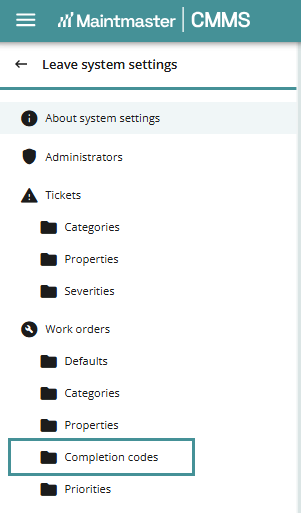
3. Select an existing completion code group or create a new one.
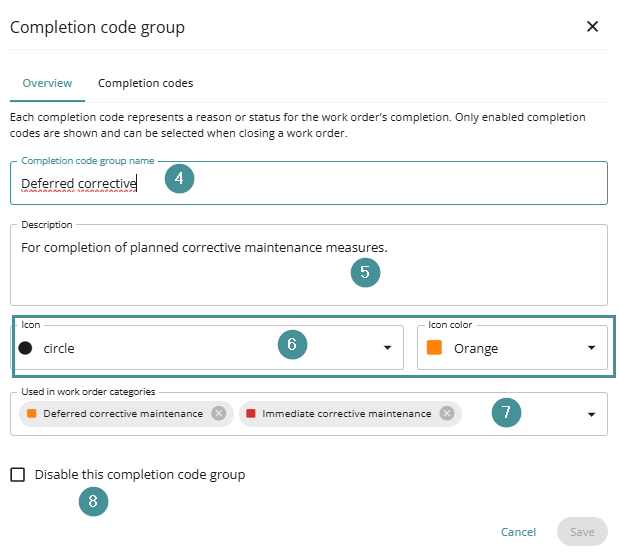
4. Enter or edit the Name of the completion code group.
5. Add a Description if needed.
6. Select an Icon and Icon color if desired.
7. Choose which work order categories the completion code group should be available for.
8. Enable or disable the completion code group if required.
Add completion codes
Completion codes are created within the Completion codes tab of the group.
Steps
1. Open the Completion codes tab.
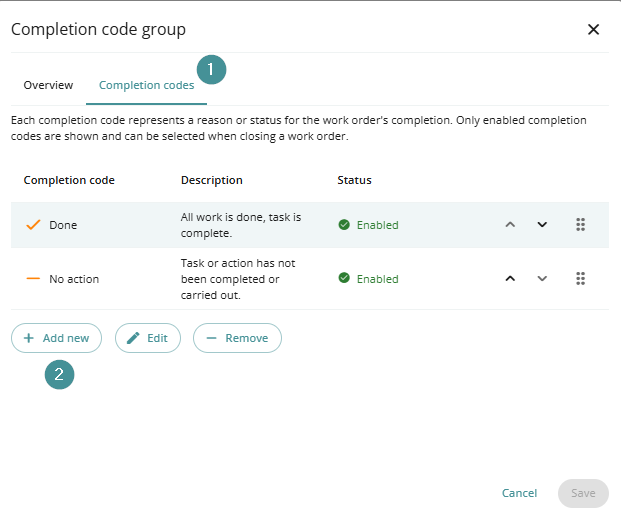
2. Click Add to create a new completion code.
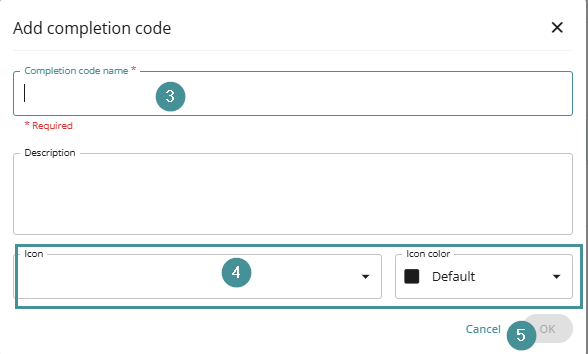
3. Enter the required Name.
4. Optionally select an Icon and Icon color.
5. Click Ok and Save to apply the changes.
Result
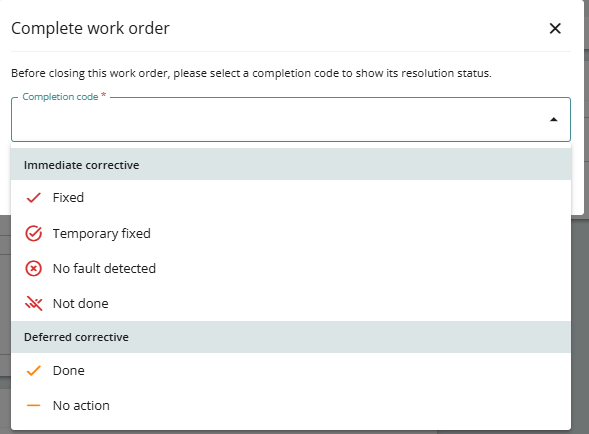
After configuration, the selected completion code group will appear when users complete work orders in the chosen categories.
This ensures users can select the correct completion code when closing a work order.
Troubleshooting
Completion codes do not appear when completing a work order
-
Verify that the completion code group is enabled.
-
Ensure the group is assigned to the correct work order category.
-
Confirm that completion codes have been added to the group.