
Method 1: Find a work order using Search
Method 2: Find work orders from your person card
Method 3: Find work orders using selections
Troubleshooting
When to use this
Use this method when you need to:
-
Review work orders you created.
-
Check work orders assigned to you.
-
Quickly open a specific work order you are working on.
Method 1: Find a work order using Search
If you already know the work order you want to open, the quickest way is to use Search.
Steps
-
Open the Search function in CMMS 10.
-
Enter the work order number or relevant keyword.
-
Select the work order from the search results.
-
Open the work order to view or edit its details.
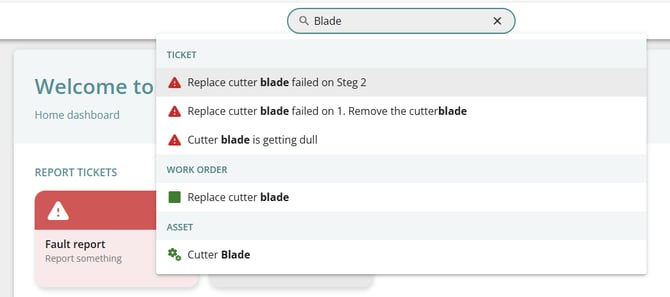
Search is the fastest option when you already know the work order number.
Method 2: Find work orders from your Person card
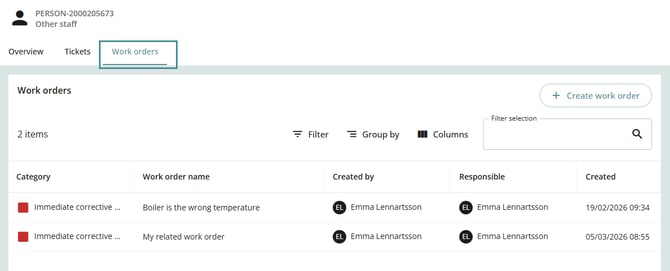
You can also view your work orders directly from your Person card.
Steps
-
Open your Person card in CMMS 10.
-
Navigate to Tickets or Work Orders.
-
Review the list displayed.
This list includes work orders where:
-
You are the creator, or
-
You are the responsible person.
From here, you can open any work order to view details or continue working on it.
Method 3: Find work orders using Selections
Work orders can also be accessed through Selections, which allow you to filter and organize work orders.
Selections may include filters such as:
-
Assigned work orders
-
Open work orders
-
Work orders by status or category
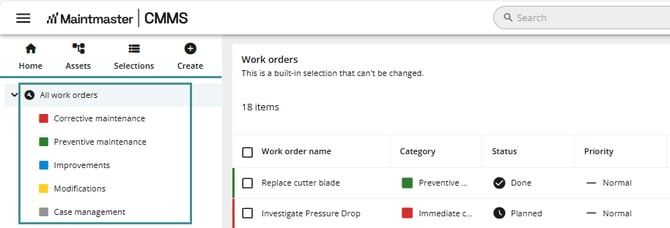
The available selections may vary depending on your system configuration and permissions.
Troubleshooting
I cannot see my work orders
Possible causes:
-
You are not assigned as the responsible person.
-
The work order was created by another user without assigning you.
-
Filters or selections may be hiding some work orders.
Solution:
-
Use Search to locate the work order directly.
-
Check with your administrator if you believe you should have access.