
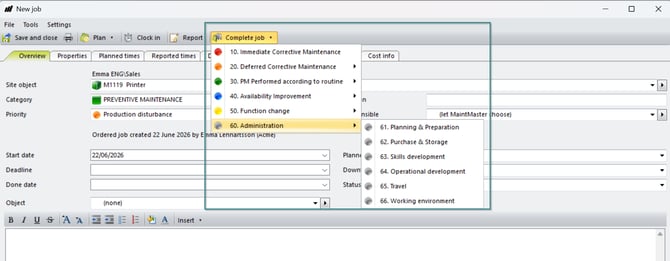
This is an article to display how you can create new completion codes that you see when you complete a job in the system
Procedure
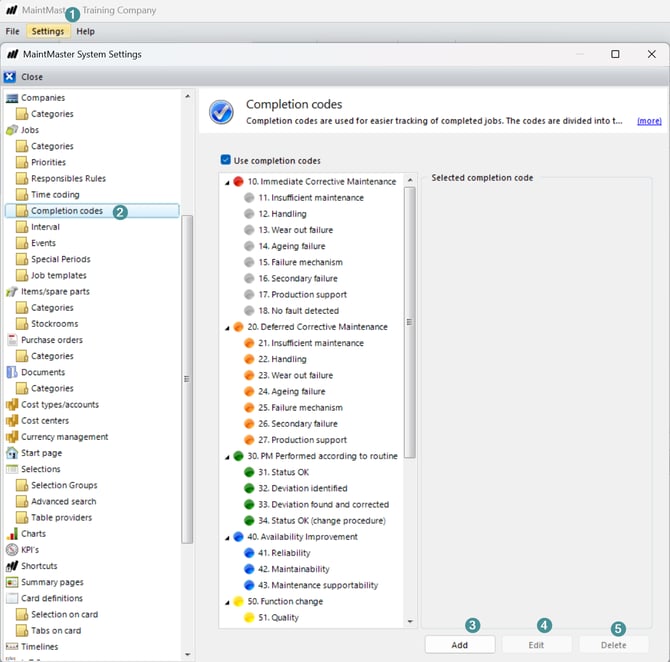
Log in to the administrative client
1. Go to Settings -> system settings
2. Scroll down to Job -> Completion codes
3. Press Add to add a new completion code
4. Press Edit to change an already created completion code
5. Press Delete to remove an already created completion code.
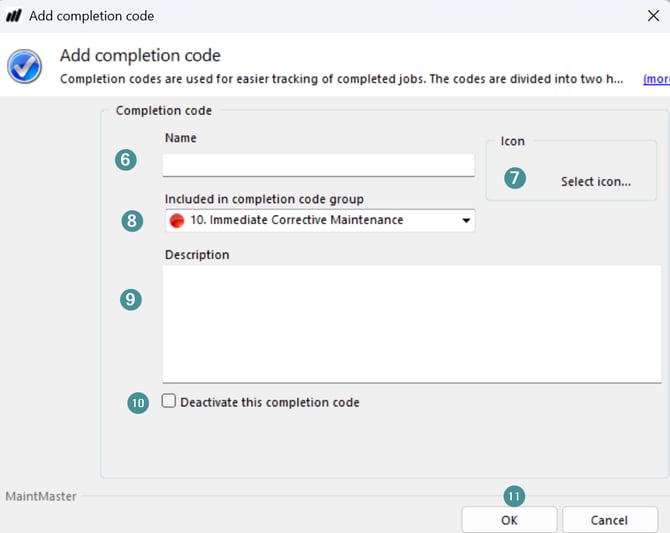
If you choose to add a completion code you will get a new window
6. Fill in a name
7. Choose an icon if you like
8. If you want the new completion code to be included in a completion group you add that information here, if not the new completion code can be used as a group.
9. If you want to add a description
10. If you want to deactivate the completion code
11. Press OK when done.
Result:
The new or updated completion code is now available and can be used when completing jobs in the system.