
Create a Purchase Unit
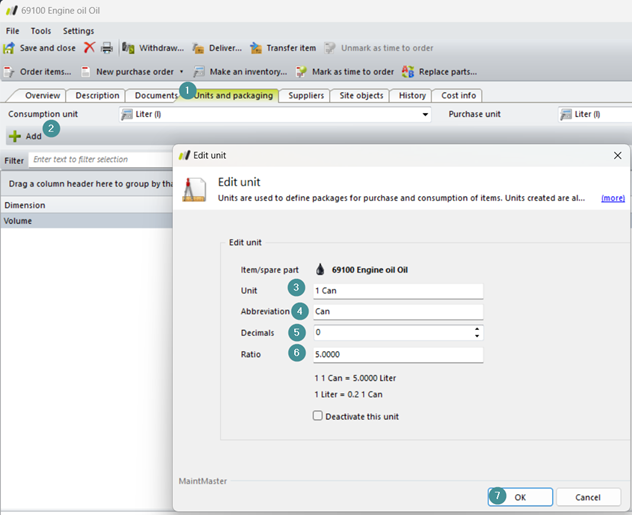
In this example we will create a new purchase unit for Item 69100 engine Oil, so we can order a can instead of todays liters.
We start by open the card for item 69100
1. Go to the "Units and Packaging" tab.
2. Click "Add".
Enter the following information:
3. Unit: 1 Can
4. Abbreviation: Can (A unit must begin with a letter or square bracket.)
5. Decimals: 0
6. Ratio: 5,0000
7. Click "OK"
9. Save the item card using CTRL+S or File → Save.

Now you can buy 1 canister, which is equal to 5 liters, but use the engine oil in liters.