
Skip to content
English
  • There are no suggestions because the search field is empty.

How do I change the date format?

You can change how dates are displayed in any selection by editing the selection, going to Output columns, selecting the date column, and choosing the preferred date format in the settings panel on the right.


In all selections, date columns can be changed to display the date format you need.


1. Open a selection by rightclick and choose Edit
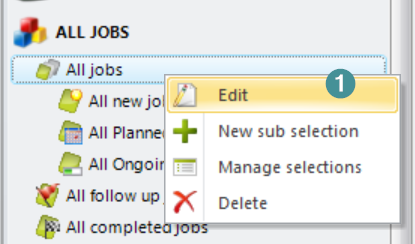
Change date CMMS8 ENG 1
2. Go to tab Output columns
3. Mark your column for date and on the right-hand side, you will find the format settings, where you can change the date format to your preferred display.
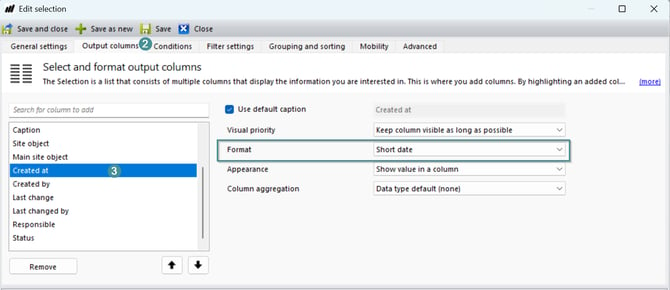
Change date CMMS8 ENG 2-1