
When to use this
You can configure the LIFO value calculation to use the default supplier price for each item. When enabled, the value shown in the "Value LIFO" column is calculated as Balance × Default supplier purchase price.
Step by Step
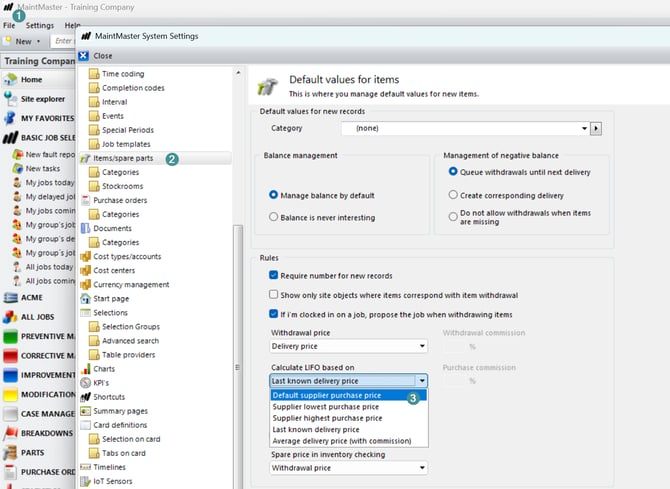
1. Go to System Settings.
2. Locate the setting "Calculate LIFO based on".
3. Change the value to "Default supplier purchase price".
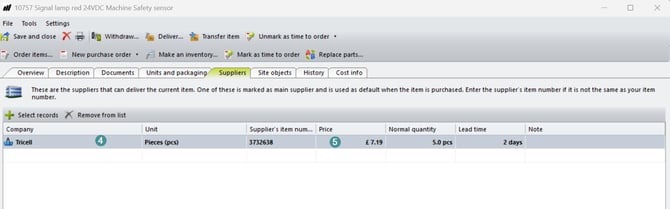
4. Verify that all items have a default supplier assigned.
5. Verify that a price is entered for each default supplier.
6. Display the "Value LIFO" column.
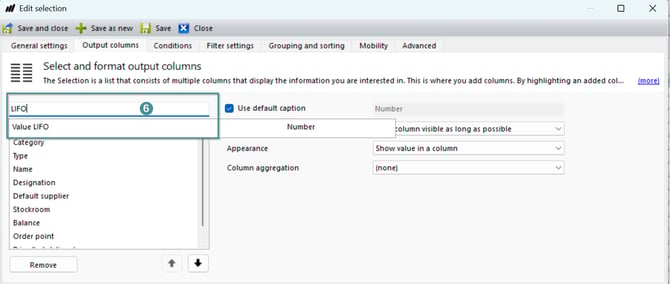
7. Confirm that the value is calculated as Balance × Default supplier purchase price.
All items must have a default supplier assigned and a supplier price entered. Otherwise, no value will be displayed.