
When to use this
Use this setup when you need an overview of your current Maintmaster users and their assigned license types.
Create the selection
Log in to the admin client
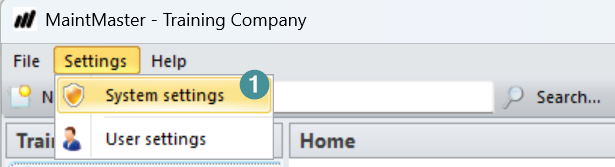
1. Go to settings - system settings
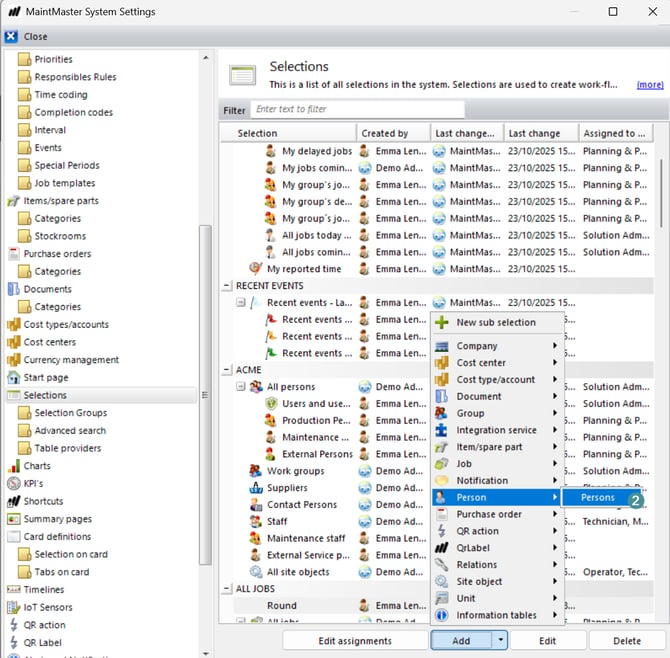
2. Go to selections - add Person - Persons
3. By tab General settings:
- Enter a name and description for the selection.
- Choose where you want the selection to appear.
- If needed, specify which roles and users can see the selection.
4. By tab Output columns you add "Access license type" to see what license the user have connected to their account
5. By tab conditions add column "Is Maintmaster user" - Is true. Now you see all users that is invited to the system.
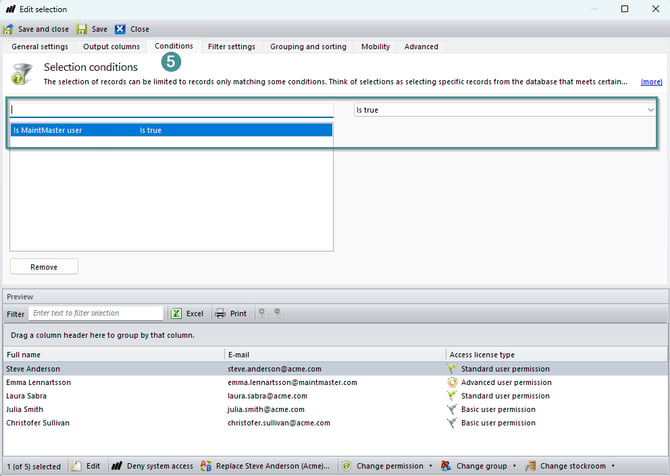
6. Done now you have a selection showing your current users in Maintmaster and their licens.