
When to use this
Use this article when you want to understand the Home page in CMMS 10, including how to access it, use the available shortcuts, and find system information such as the current version and release notes.
Overview of the Home page
In the Quick menu, you will find the Home button.
When you click the Home button, you are taken to your Home page.
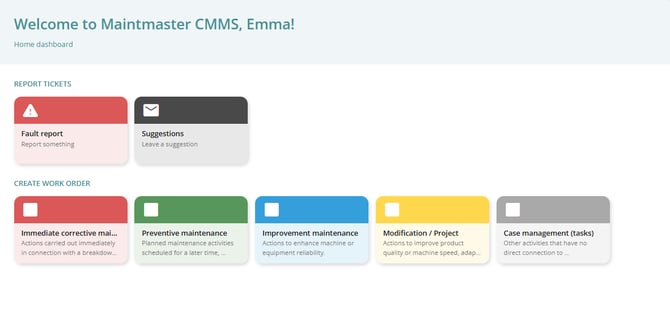
This page contains your home dashboard, which provides quick access to commonly used actions and useful system information.

Shortcut buttons
The Home dashboard includes large shortcut buttons that help you quickly perform common tasks.
These shortcuts typically allow you to:
-
Report a ticket
-
Create a work order
These buttons are designed to make it faster to start common workflows without navigating through the menu.
About Maintmaster
The Home page also includes an About Maintmaster section.
In this section, you can find:
-
The current system version
-
A link to Release notes
-
An option to send feedback
These resources help you stay informed about system updates and provide input about the system.
