
When to use this
Use these steps when you need to organize former employees in CMMS 10 by creating a dedicated category and assigning them to it.
Steps to create a category for former employees:
As an administrator
1. Press on your name up in the right corner and go to System settings
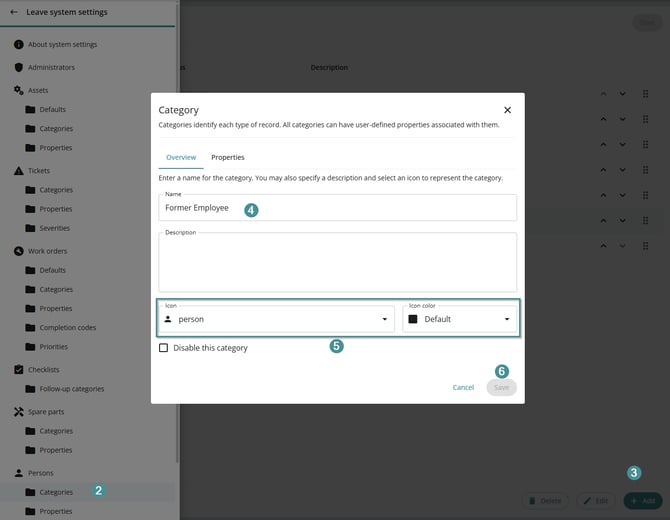
2. Choose "Categories" by "Persons"
3. Click "Add"
4. Name and describe the category (for example, “Former Employee”).
5. Choose an icon and Icon color
6. Click on "Save", then leave "System settings"
Assign a person to the new category:
7. Use the super search to find the user

8. Click on Options - Change Category
9. Choose your new category Former Employee
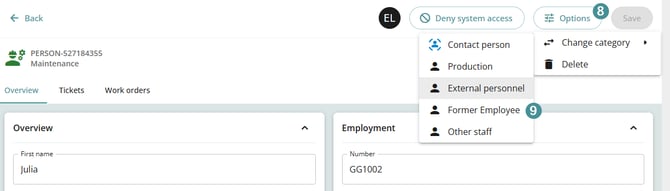
10. You will get a message if you are sure then press Change category