When to use this
Use this when you, as an administrator, need to add, edit, or delete properties for different card types in CMMS 10.
Access system settings
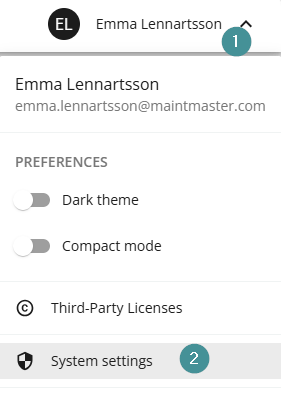
1. Click your name in the top-right corner.
2. Select "System settings".
Manage properties
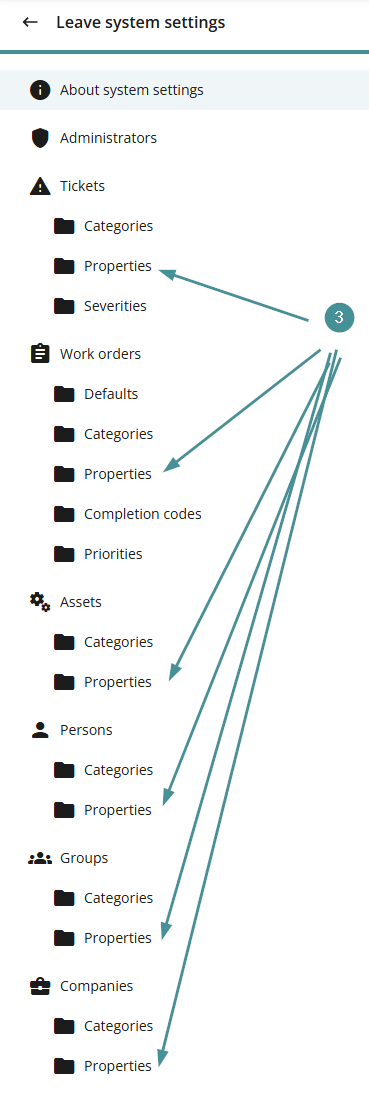
3. Open one of the Properties folders, depending on which card type you want to extend (for example: Assets, Persons, Companies).
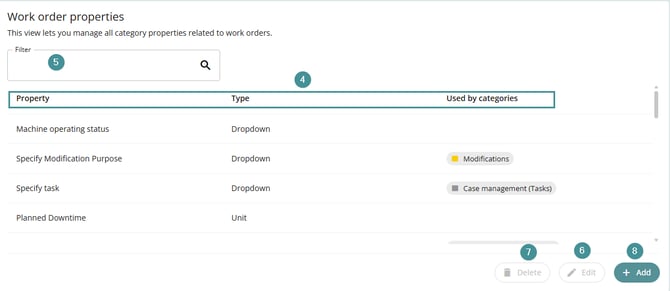
4. You will see a list of all existing properties, including:
-
Property name
-
Property type
-
Where the property is used
From this view, you can:
5. Search for a property
6. Edit an existing property
7. Delete an existing property
8. Add a new property