
When to use this
Use one of the following methods depending on where you want to create the asset:
-
Create an asset from the start page
- Create an asset from the Asset Tree
Create an asset from the start page.
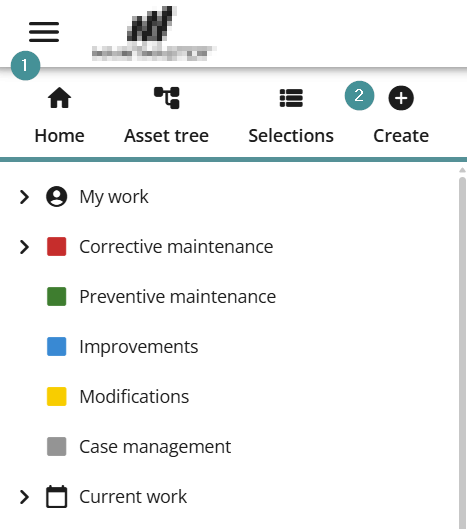
1. Open the hamburger menu to the left
2. Select "Create"
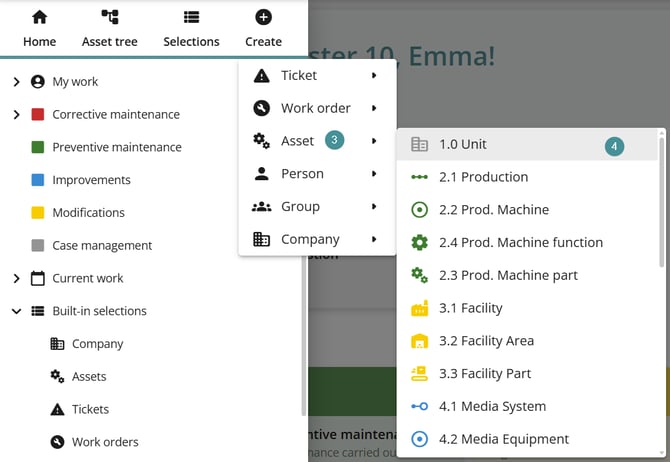
3. Choose "Asset".
4. Select the category the asset should belong to.
5. Enter the required details and save the asset. The Asset Location defines where the asset appears in the Asset tree.
6. Save
Create an asset from the Asset Tree
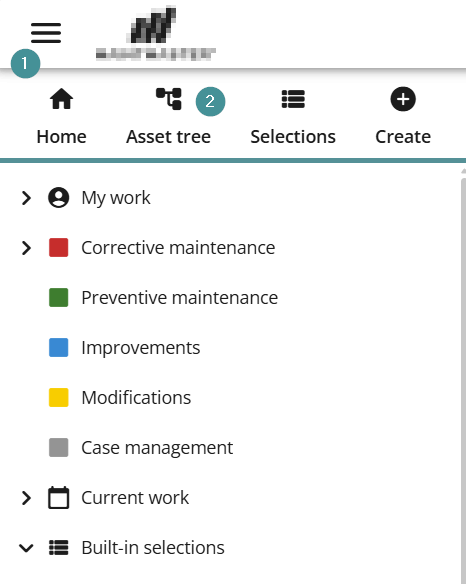
1. Open the hamburger menu on the left.
2. Select "Asset tree".
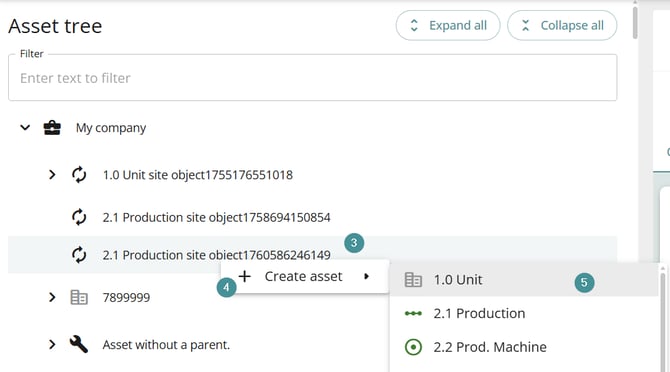
3. Locate the asset under which you want to add a new asset. Right-click on the parent asset.
4. Select "Create asset".
5. Choose the appropriate category from the list.
6. Enter the required details and save the asset. The Asset Location defines where the asset appears in the Asset tree.
7. Save
Result
The asset is now created and available in the system under the Asset tree.