
When to use this
Use these steps when a user needs to change the email address associated with their CMMS 10 account.
Change the e-mail
1. Open the persons card
2. Select "Deny System Access"
3. Update the user's email address
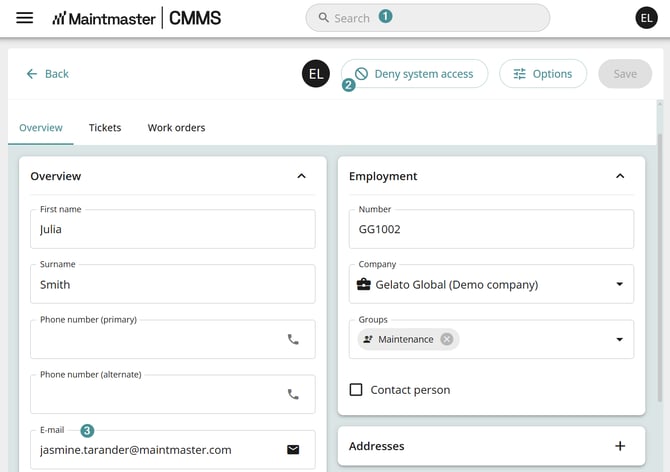
4. Save the changes by press Save up in the right corner
5. Send a new invitation to the user by selecting "Invite to MaintMaster"
Result
The user will receive a new invitation at the updated email address and must create a new account.