
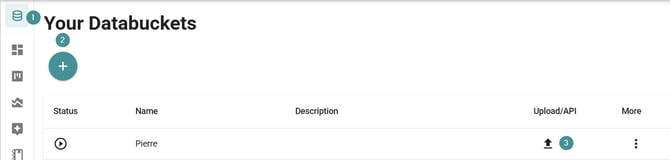
1. Go to "Databuckets".
2. If you don’t have a databucket, create a new one first.
If you already have one and want to replace its content, continue to step 3.
3. Click the Upload icon
You will now see several import options.
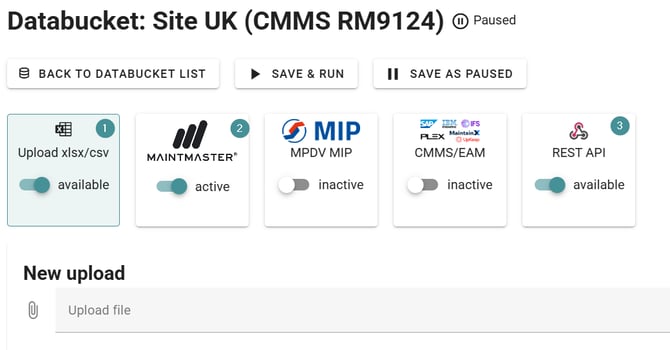
1. CSV / Excel import
Use this option to upload logs manually.
-
Choose "CSV/Excel."
-
On your first upload, specify which column in your file contains the comments.
-
MI saves this configuration and reuses it for future uploads.
This configuration is usually set up for you by support, and they can assist with adjustments if needed.
2. CMMS / MES Integration
MI can connect to a range of external CMMS/MES systems and automatically download maintenance orders.
-
Integration options are listed in the interface.
-
These integrations require an additional fee.
-
Contact Support for pricing and activation.
3. API
If you prefer automation without using CMMS/MES integrations, MI provides its own API.
-
This API option is included in your subscription.
-
API documentation: (need a new link)
https://github.com/peoplegeist/public-api-doc -
Support can assist you in setting up and using this API.
You can choose the import method that best fits your workflow—manual uploads, external integrations, or the built-in API.