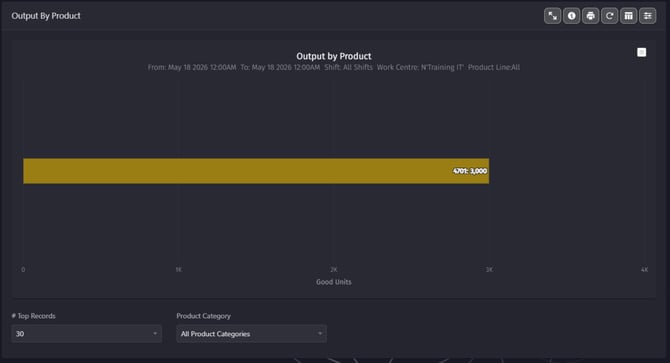
Output by Product
Output by Product shows how many units you have produced of each product, the graph will open first with your top 5 products.
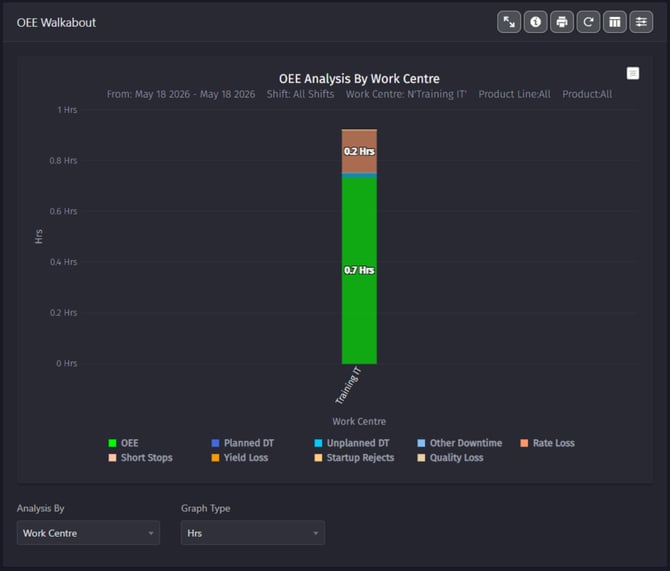
OEE Walkabout - OEE Analysis by Work Centre
OEE Analysis by Work Centre shows the downtimes you had at your work centres, the graph will open first with hours.
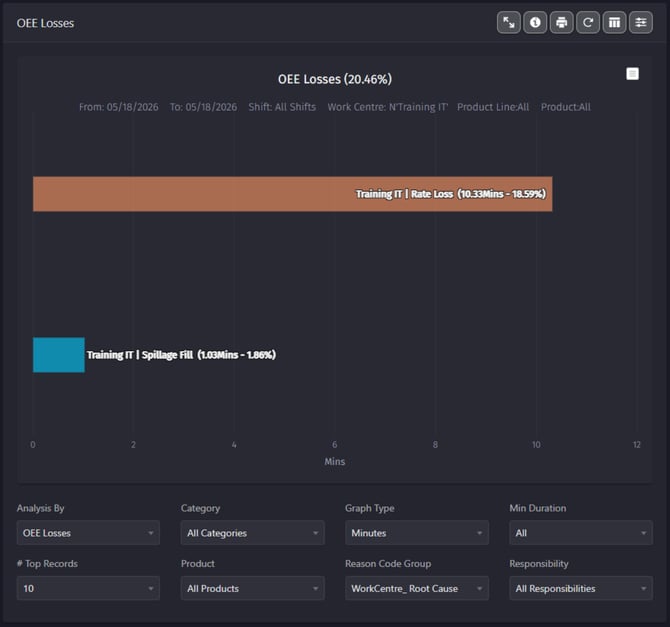
OEE Losses
OEE Losses is one of the most versatile reports we have. This report shows your top OEE losses reason codes (Downtimes, Alarms, Rate Loss), the graph will open first showing accumulated minutes for each lost.
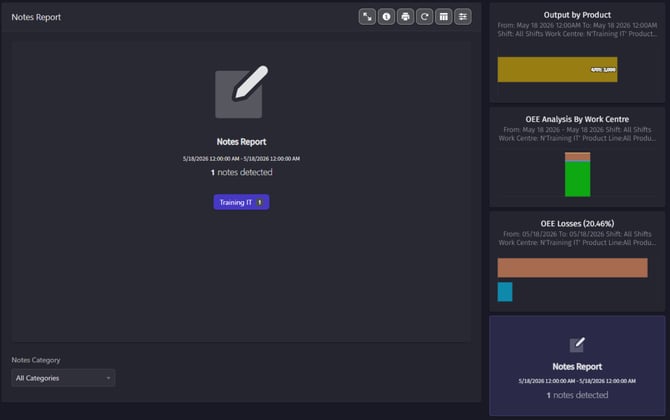
Notes Report
Notes Report shows all the notes left by your operators at each work centre at the time and date selected.
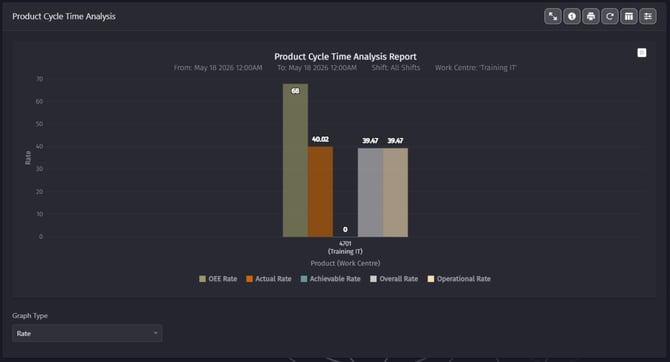
Product Cycle Time Analysis
Product Cycle Time Analysis shows your targeted OEE Rate, Actual Rate meaning what happened while the line was running, Achievable Rate meaning your realistic best, Operational Rate meaning performance during expected production time and Overall Rate meaning the full picture including everything.
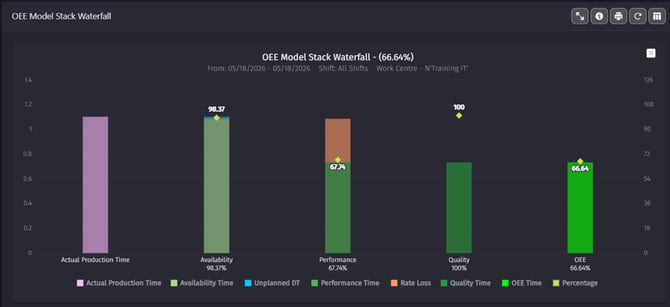
OEE Model Stack Waterfall
OEE Model Stack Waterfall shows in hours and Percentage, the Actual production time, Availability (Unplanned, Planned), Performance (Performance time, Rate loss), Quality and OEE Percentage.
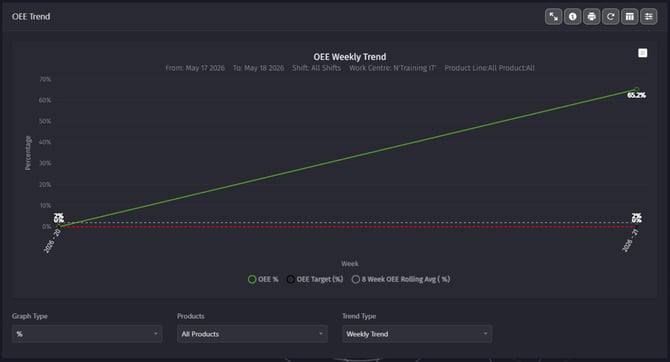
OEE Trend - OEE Weekly Trend
OEE trend can be shown with different graphs. The line graph type % for example, the most commonly used has the objective to show the trend of your OEE % across 4 weeks time (Monthly) or Dailey trends.
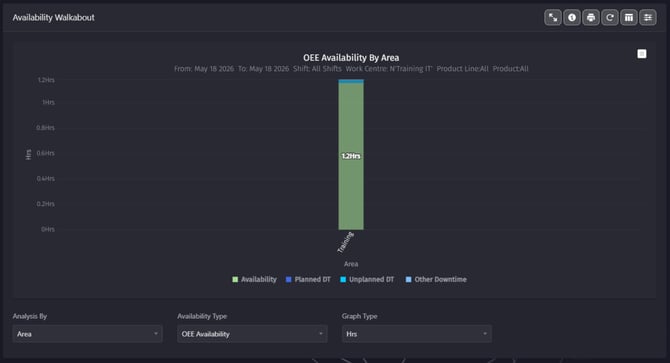
Availability Walkabout - OEE Availability by Area
OEE Availability by Area, shows all of your areas that you can compare and visualize by area the number of loses in hours, in each of your Area.
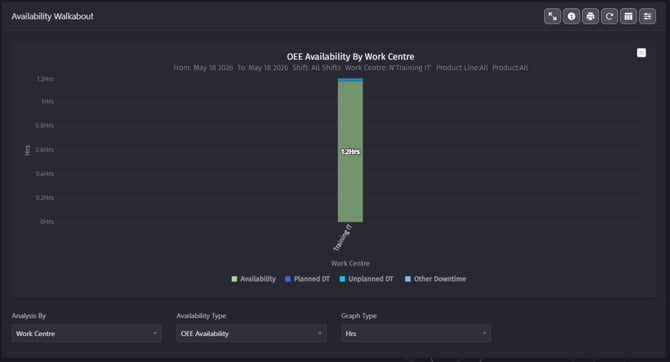
Availability walkabout - OEE Availability by Work Centre
OEE Availability By Work Centre shows all of your Work Centres that you can compare and visualize by the number of loses in hours, in each of your work centres.
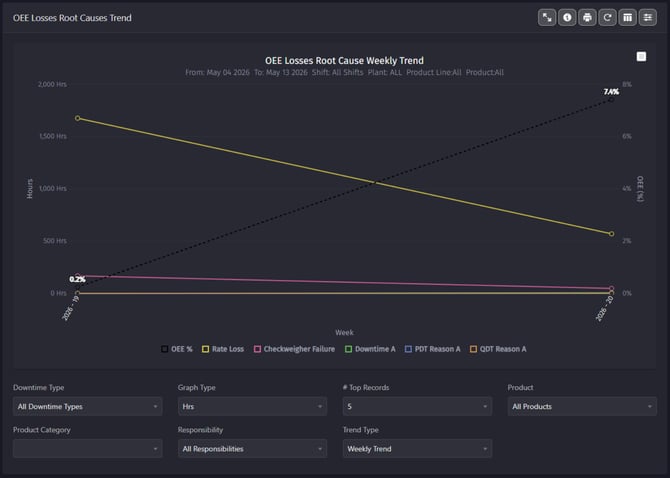
OEE Losses Root Causes Trend - OEE Losses Root Cause Weekly Trend
OEE Losses Root Cause Weekly, shows a quick view of how you are doing comparing to the previous week, you can also select Daily trend and Monthly trend using the options available in the Trend Type.
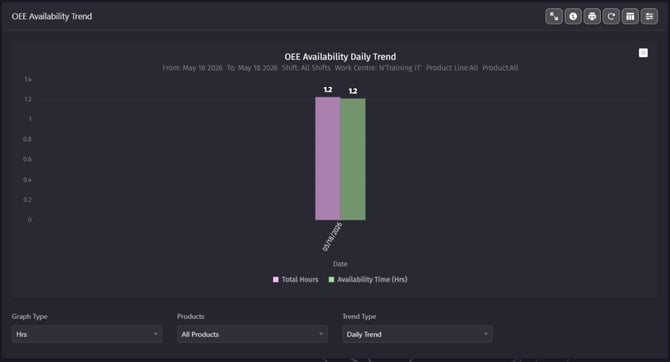
OEE Availability Trend - OEE Availability Weekly Trend
OEE Availability Weekly Trend shows your total hours of the line being available to the time it was actually producing each week.
Quality
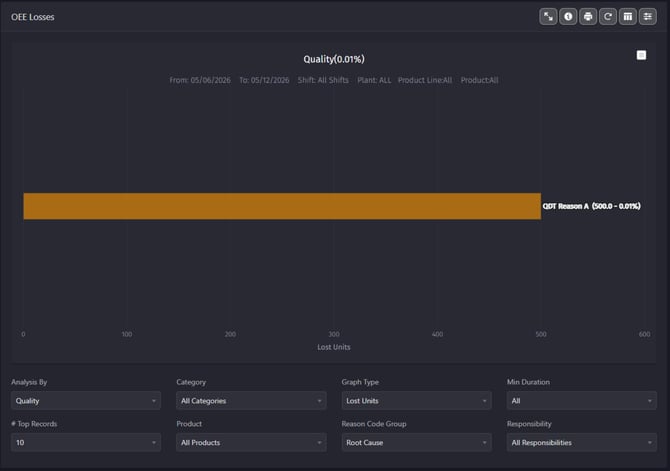
Quality report shows your losses that are assigned to affect quality (Yield Loss YL) it uses the OEE-Losses report, with the Analysis by Quality. Here you will be able to see your manual Rejects assigned by the operators, the automated Rejects capture by a sensor or other downtimes and alarms that you have configured to affect quality.
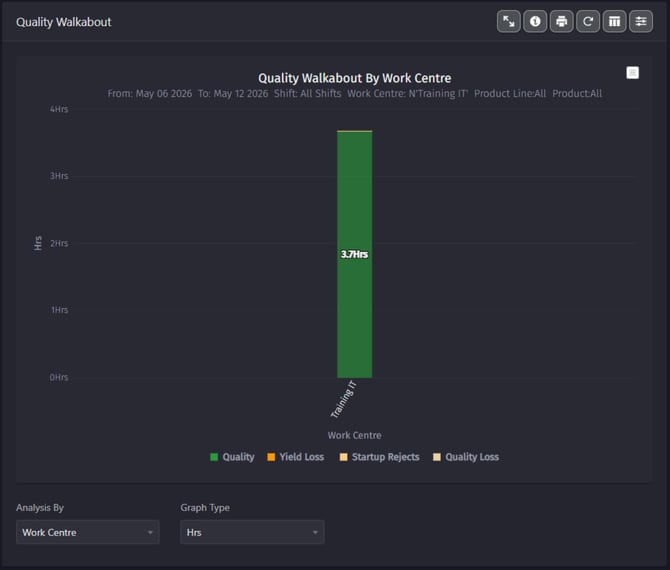
Quality Walkabout - Quality Walkabout By Work Centre
Quality Walkabout By Work Centre, shows in green the quantity of hours that you have produced good units, in orange you see your quality losses (usually bad units) in hours. If you have any difficulty understanding the graph we recommend that you change the graph type, selecting % option or units option.
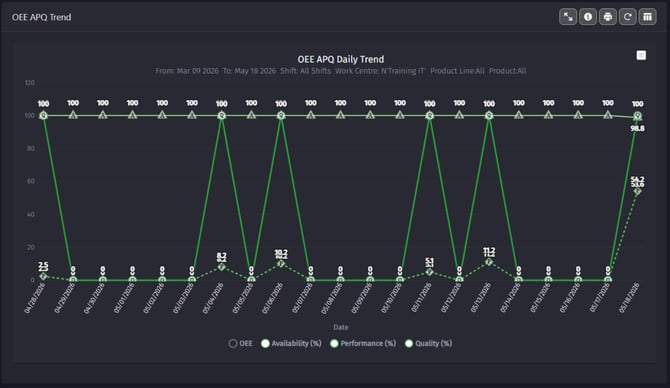
OEE APQ Daily Trend
OEE APQ Dailey Trend, shows you a linear graph with your quality % on the top that you can compare with Availability, Performance and OEE trend. The report allows you to see what is affecting your OEE the most and if you had any quality deviation.