
When to use this
Use this procedure when:
- You need to correct counts due to incorrect data for example because of sensor issues
Note! The setting "Allow Override of Count" is set to "Yes" for a work centre; This option should only be enabled during modification of production count for orders. When complete, this setting needs to be turned off as it affects processing of downtimes meaning the system will no longer re-process the orders as it is in "Manual" mode.
Go to Maintmaster OEE Manager under settings:

Maintmaster OEE Manager
1-Under Plant Config Choose Work Centres
2-Find the Specific Work Centre by searching for it like *Training IT* --- (Note the special character *)
3-Open the Work Centre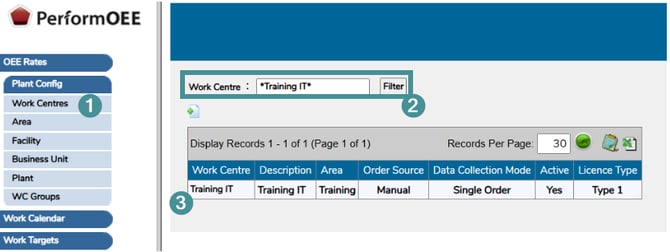
4>Click on OPC Properties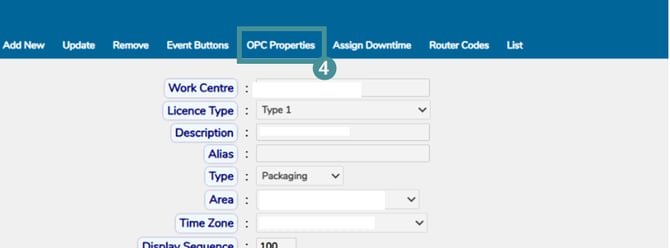
5-Click on "Update"
6-Change "Allow Override of Count" to "YES"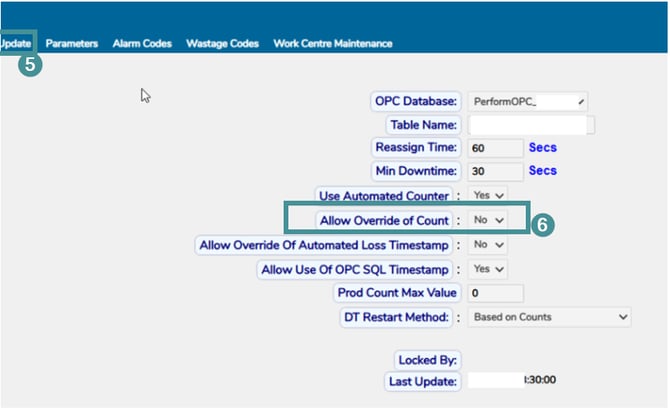
7-Click On "Save"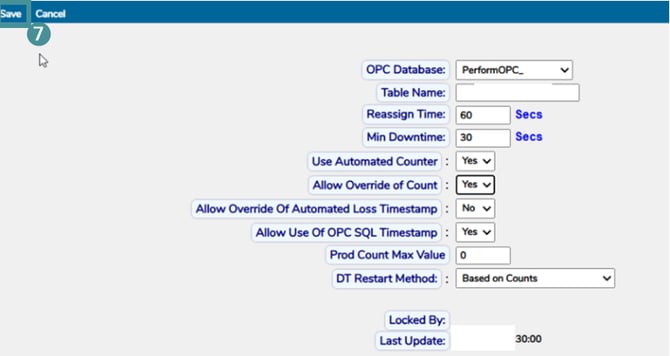
Maintmaster OEE (PerformOEE)
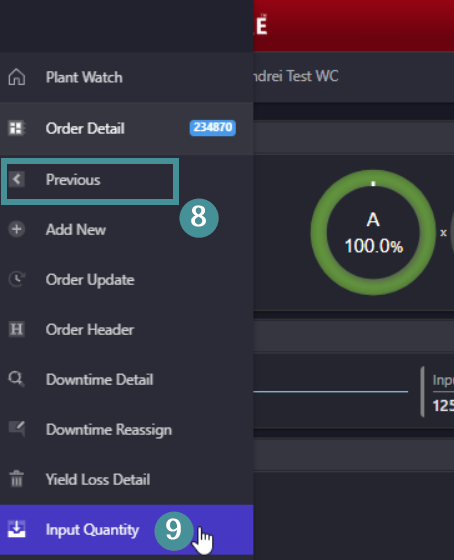
8-Go back to Mainmaster OEE, Find the specified or affected order by opening the Work Center under Plant watch and choose "Previous"
9-Choose "Input Quantity"
10-Input the needed "Counts"
11-Save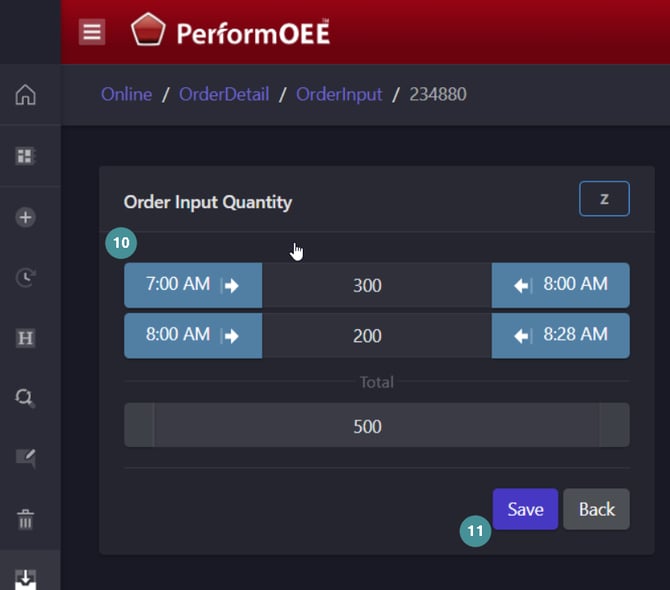
12-Recalculate order under order update by moving the finish time a min, save and the back again and save.
13-Once done, go back to Manager and change "Allow Override of Count" to "NO" & Save.(Leaving that value as YES can affect re-processing of counts)