
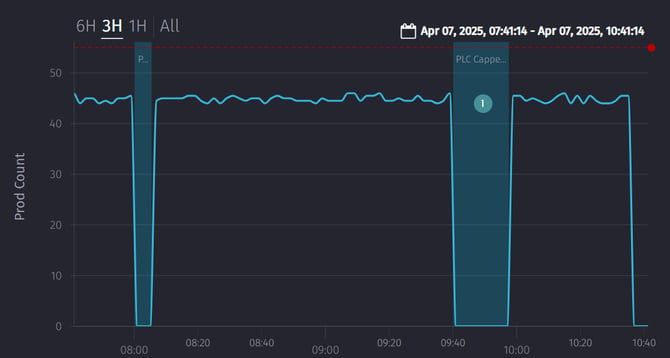
1. Open a Work Centre. Click on the section of the diagram that shows when the machine was stopped.
- or open the Downtime Task List.
2. Update the Downtime reason / Reason code to the correct cause.
3. Click "Save".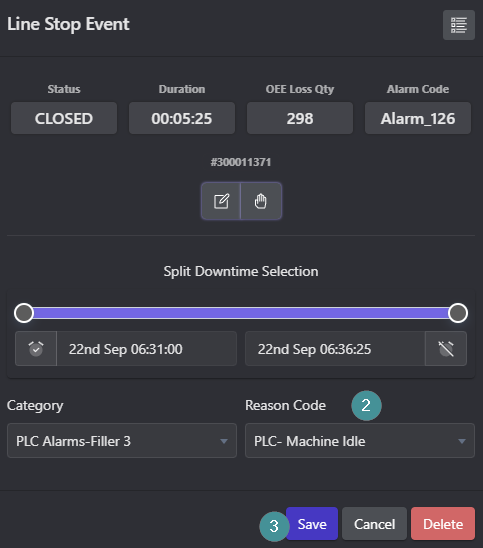
1. Open a Work Centre. Click on the section of the diagram that shows when the machine was stopped.
2. Update the Downtime reason / Reason code to the correct cause.
3. Click "Save".