
Skip to content
  • There are no suggestions because the search field is empty.

How do I deny a user access to OEE?

If a user has left the company or should not access OEE, revoke their system access.


Administrator access is required in order to access Manager and configure OEE settings.


1. Open to System settings → Manager
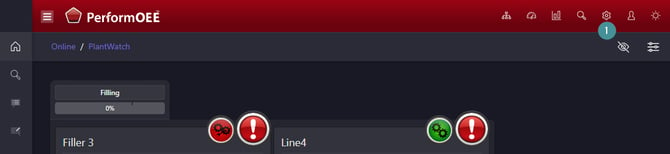
open OEE manager

2. Go to "Access"
3. Choose the user 
4. Click on the "Remove" 
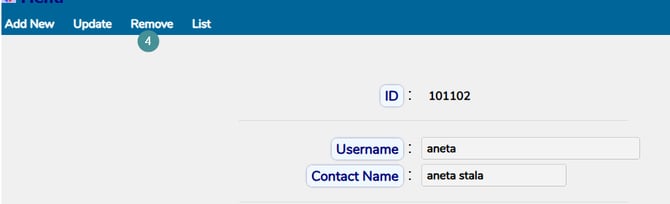
deny access1

The Remove button does not delete the user or any associated data. It simply hides the user from the interface and flags the account as retired in the database.