
When should I backdate OEE rates?
- When an OEE rate was incorrect
- When production capacity has been redefined
- When historical OEE data needs to reflect a new, more accurate rate
Backdate an OEE rate
1. Open Manager.
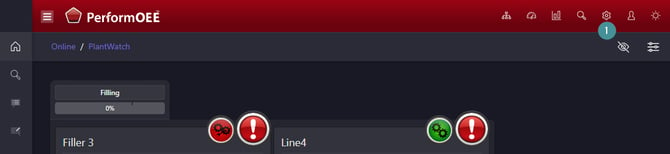
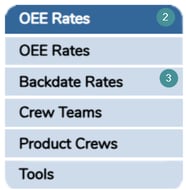
2. Navigate to OEE Rates.
3. Click Backdate Rates.
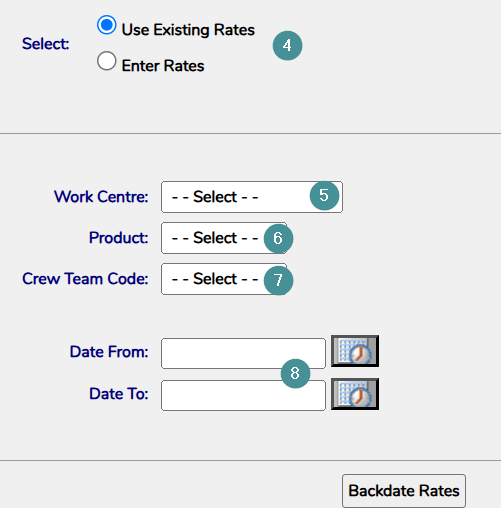
4. Choose whether to use the rate from the OEE rate settings or enter a rate manually
5. Select the Work Centre
6. Select the Product
7. Choose The Team
8. Choose the date range for applying the new OEE rates
9. Click "Backdate Rates" to confirm the update
Important notes
- Backdating will recalculate OEE values for the selected period.
- Make sure the selected date range is correct before confirming.
- Large date ranges may take longer to process.
Backdating ensures that your OEE reports and performance analysis remain accurate and consistent over time.