
What is a product in MaintMaster OEE?
A product may represent:
-
A finished sellable product
-
A part of a finished product
-
A case or bundle of items
-
A measured output (length, weight, volume, etc.)
The meaning and unit of the product are defined by the Work Centre setup and its sensors or counters.
Steps to add a new product
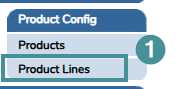
1. Open to System settings → Manager → Navigate to Product Config → Product Lines = Type. Create a product line that will below be connected to the product.
2. Navigate to Product Config → Products
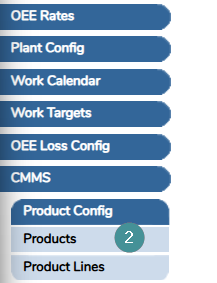
3. Click "Add New".
4. Fill in the required fields:
-
-
Product
-
Enter the product name.
-
This must be a unique identifier.
-
-
Description
-
Enter a detailed description of the product.
-
-
Type
-
Select the category group where the product should belong.
-
-
5. Leave all other fields unchanged unless instructed otherwise.
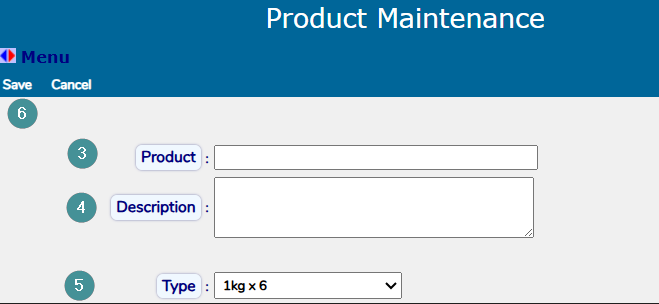
6. Click "Save".