
Add a Downtime on a Production run
- Open the production run, from PlantWatch or from the Order list.
- On the Production run tab, click Line Stop Event in the Action panel in the top right corner.
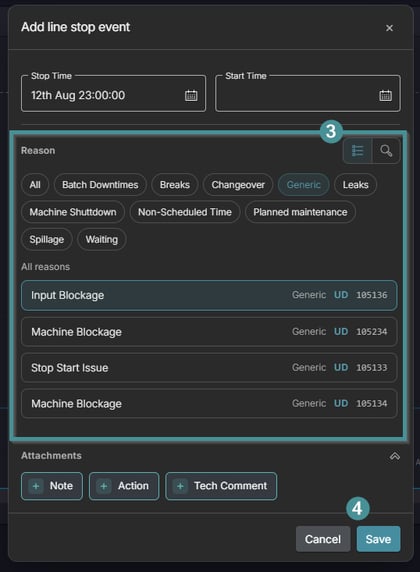
- Enter the stop details and select the reason code.
- Save.

Good to know
- The manual downtime appears on the Downtime detail tab like any other downtime, and it can be reassigned or split afterwards.
- If the reason is not known yet, register the stop and set the correct reason later on the Downtime reassign tab.
- Quick downtime buttons can be configured in Maintmaster OEE Manager so operators assign common stops with one click. See the article How do I add a quick downtime button.