
Split a downtime when one stop had more than one cause, so each part gets the right reason code and your reports stay accurate.
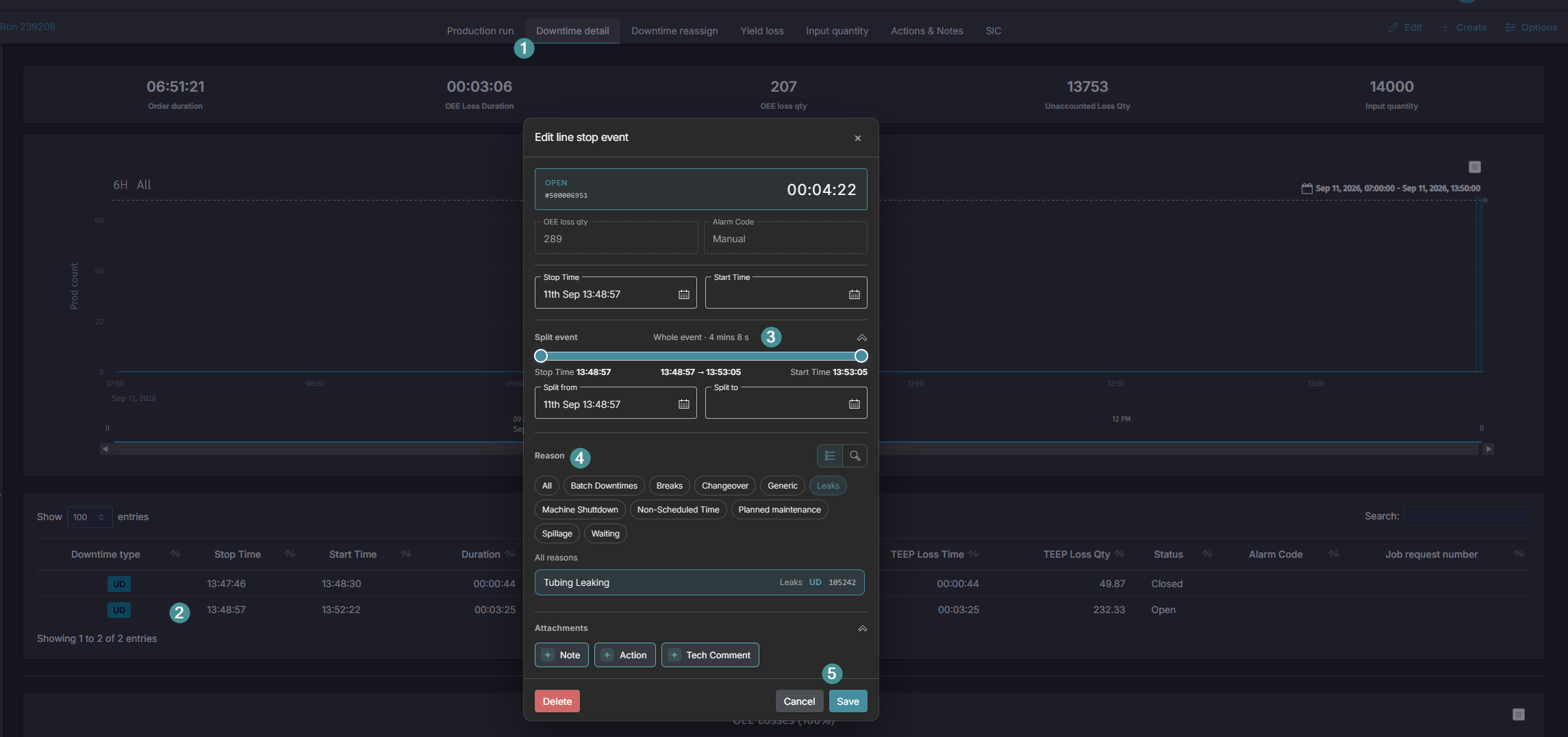
- Open the production run and click on the Downtime in the chart or Downtime detail tab.
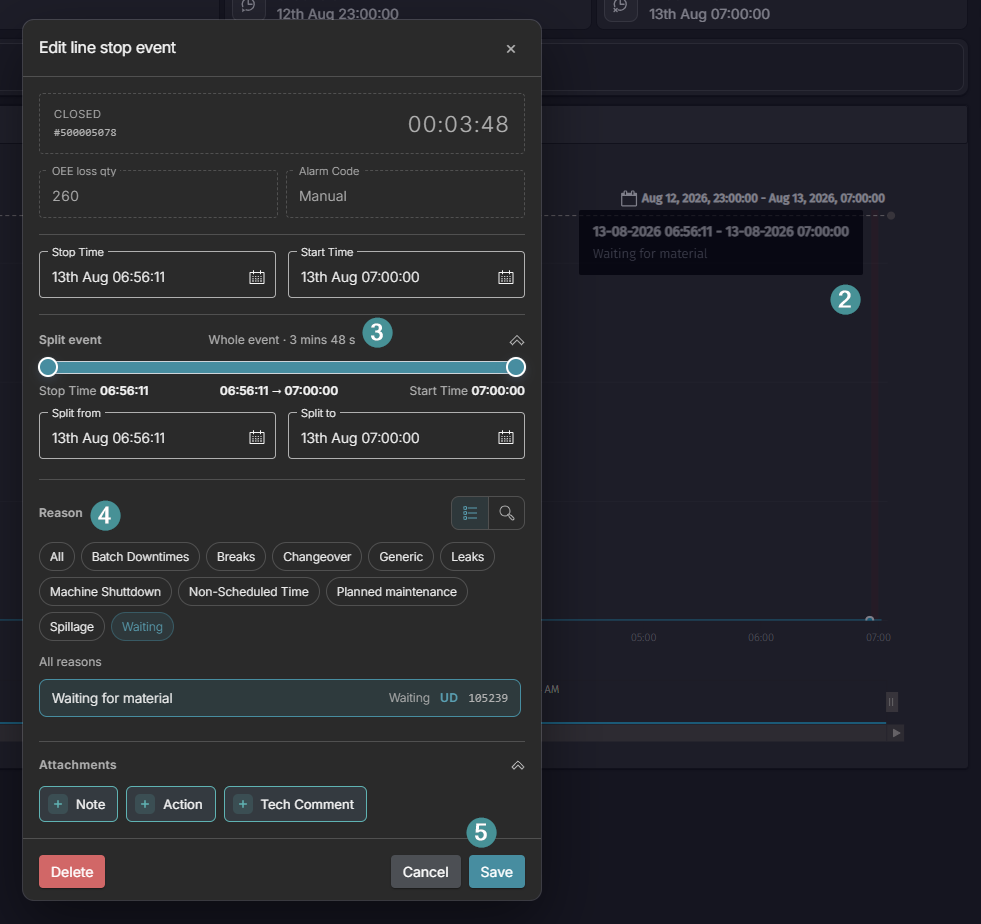
- Select the downtime you want to split, in the chart or in the table.
- Adjust the time span so the period is divided between the different causes.
- Assign the correct Reason Code to each part.
- Click Save.
- You can split downtime at any time, also after the order is closed, but doing it during the shift gives the best data quality.
- Each part of the split is reported separately in the OEE Losses report.