
View sensor information
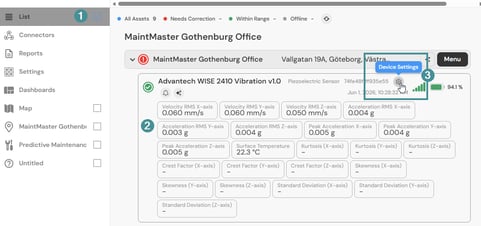
1. Navigate to "List".
2. Select the device you want information about.
3. Click the gear icon labeled "Device Settings".
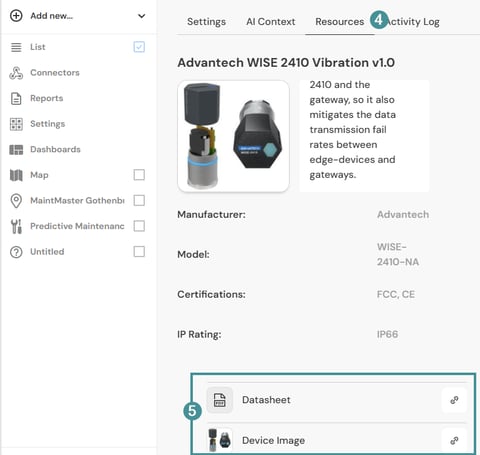
4. Open the "Resources" tab.
5. Scroll down the page to view the available device information.
Available information
The Resources section may include:
- Technical specifications
- Product documentation
- Images
- Videos
- Installation information
- Additional device resources
The available resources vary depending on the sensor model.
Troubleshooting
I cannot find the device in the list
- Verify that you are logged in to the correct MyDevices account.
- Confirm that the device has been added to your account.
- Contact your administrator if the device is missing.