
When to use this
Use this guide when you need to quickly find assets, work orders, tickets, documents, or other information in CMMS 10.
Using the global search

-
The search field is located in the system header.
-
The search matches characters in the entity name only.
-
Matching text in the results is shown in bold.
Example:
If you search for Maintmaster, all records with Maintmaster in the name will appear.
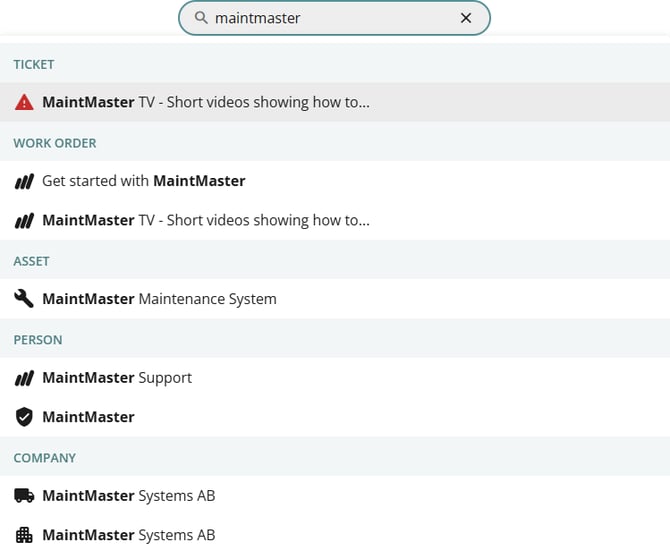
Search results behavior
-
Results are grouped by entity type (for example: Assets, Work Orders, Tickets).
-
Initially, only the first five results per entity type are shown.
-
Click Show more results at the bottom to display additional matches.
Refining your search
For more precise results, you can:
-
Use Selections to filter records based on predefined criteria.
-
Apply column filters within list views to narrow results further.
-
Sort results by clicking on column headers.
Tips for best results
-
Use specific keywords to improve accuracy.
-
Combine selections and filters to quickly locate the right information.
-
Ensure you have the required permissions to view the data you are searching for.
The global search is ideal for quick lookups, while selections and filters are recommended for detailed searches and reporting.