
When to use this
Use this article when you need to create a new person in CMMS 10 and invite them to access the system.
Create and invite a person
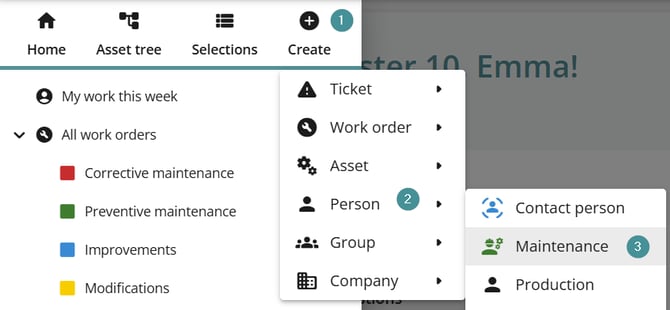
1. Click "Create".
2. Select "Person".
3. Choose the appropriate category for the new person.
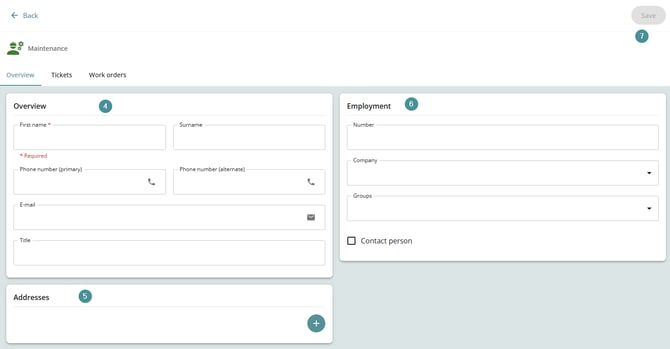
4. In Overview, enter details such as:
-
Name
-
Phone number
-
Email address
-
Title
5. Add Addresses if needed.
6. In Employment, assign:
-
Employee number (optional)
-
Company
-
Group(s)
7. Click "Save"
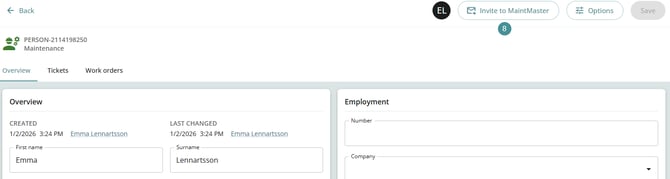
8. Click "Invite to Maintmaster".
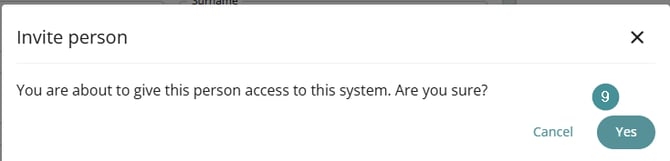
9. You will get another question, Confirm by clicking Yes.
What happens next?
-
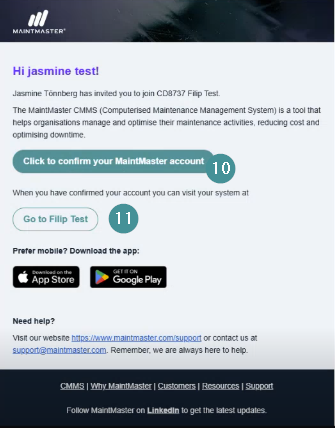
If the user does not have a Maintmaster account:
-
They receive an email inviting them to create a Maintmaster account.
-
After creating the account, they can log in to the system they were invited to.
-
-
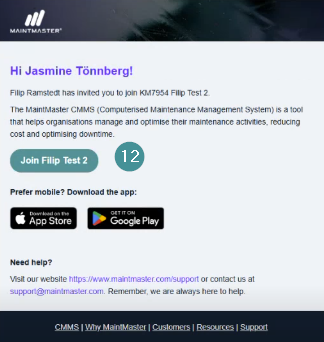
If the user already has a Maintmaster account:
-
They receive an email informing them that they have been granted access.
-
They can log in directly to the invited system.
-
The user is now invited and can access the system according to their assigned groups and permissions.