When to use this
Use this article when you want to create a user group in MaintMaster, add members, or understand the information and options available on the group card.
Create a user group
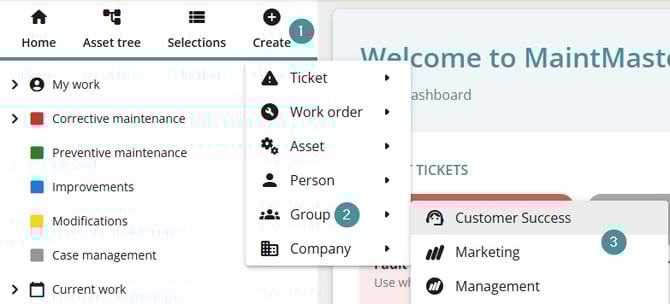
1. Click "Create".
2. Select "Group".
3. Choose the group category you want to use.
Group card overview
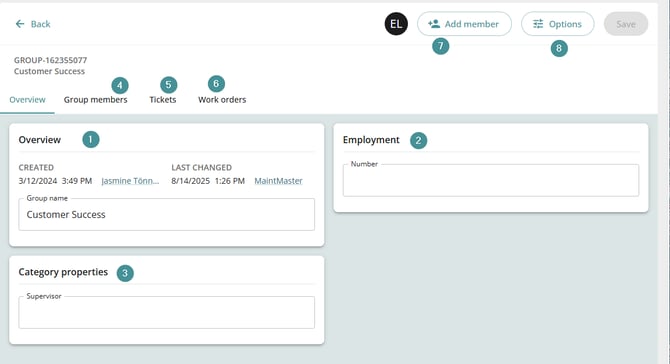
1. Overview
-
Enter the Group name.
2. Employment
-
If the group has a specific employment number, you can enter it here.
3. Category properties
-
Any properties linked to the selected group category are shown here.
-
To add new properties to a category, see: Create a new property.
4. Group members
-
Displays all users who are members of the group.
5. Tickets
-
Shows all tickets assigned to the group.
6. Work orders
-
Shows all work orders assigned to the group.
7. Add member
-
Use this button to add users to the group.
8. Options
-
Change the group category, or
-
Delete the group.