
When to use this
Use this guide when you need to create a new category to structure and organize groups in the system.
Create a new category
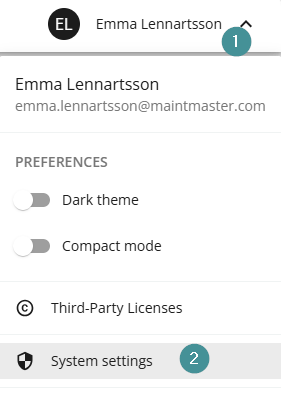
1. Click your name in the top-right corner.
2. Select "System settings".
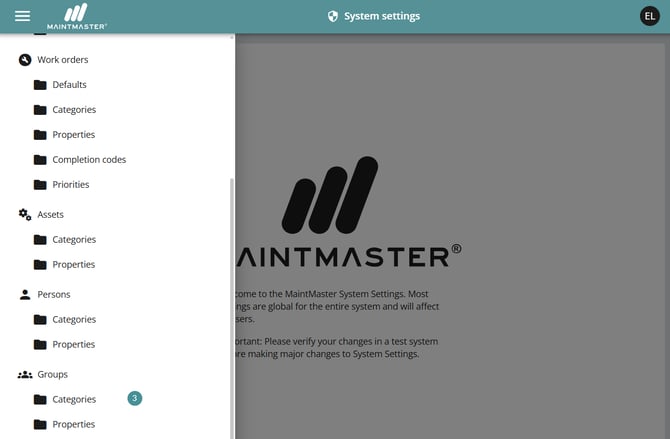
3. Go to Group → Categories by open the hamburger menu up to the left.
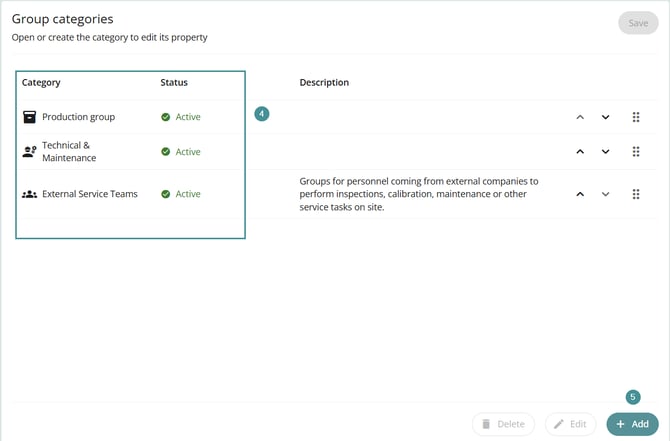
4. Review the list of existing categories.
5. Click "+ Add" to create a new category.
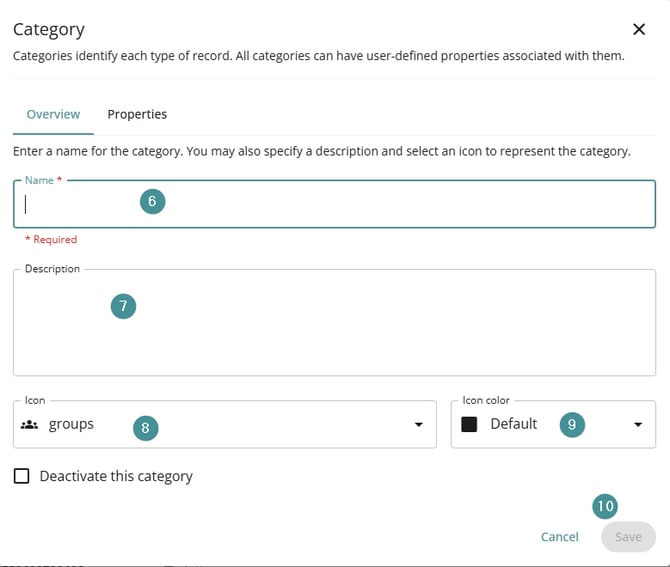
Enter the following information:
6. Name – The name of the category
7. Description – What the category is used for
8. Icon – Optional icon for visual identification
9. Text color – Optional color for the category text
10. Click Save when finished.
Verify the category
11. Leave system settings.
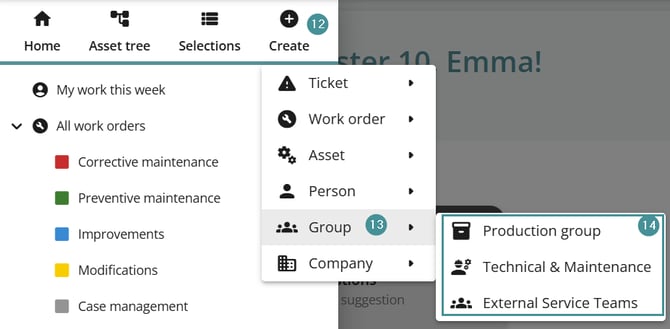
12. Click "Create" .
13. Select "Group".
14. Your newly created category is now available in the list.
The category can now be used when creating and organizing user groups in the system.